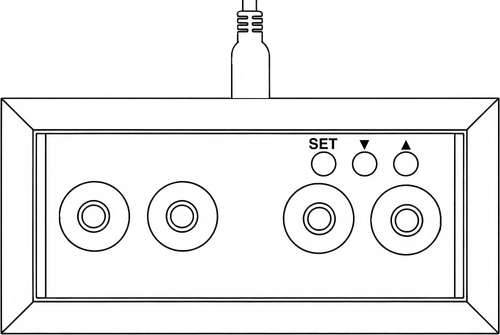
Many parameters can be set using the three built-in buttons, so connection to the Web App for configuration is not required. When on the time screen, briefly pressing the ▲ button displays the date, and then temperature for a few seconds. If the date is not set (which can be done using the Web App) then only the temperature will be shown. On any screen, briefly pressing the ▼ button cycles through the LED colour options for that screen. Using the Web App allows individual setting of the time, date and temperature screen LED colours – if they are set individually, then pressing the button only changes the colour for the current screen. If the colours are not set individually, or if LEDs- Cycling or LEDs-Off is selected, then the button setting applies to all screens. The built-in LED colour order is: Red Green Blue Cyan Magenta Yellow White Custom Cycling Off